Back to labs

LabsLand FPGA Community

DE1-SoC

Learn FPGA design with VHDL, Verilog, or SystemVerilog.

  • Real-time labs
  • Codeide
  • University & College
Watch videoDE1-SoC — Board

Laboratory information

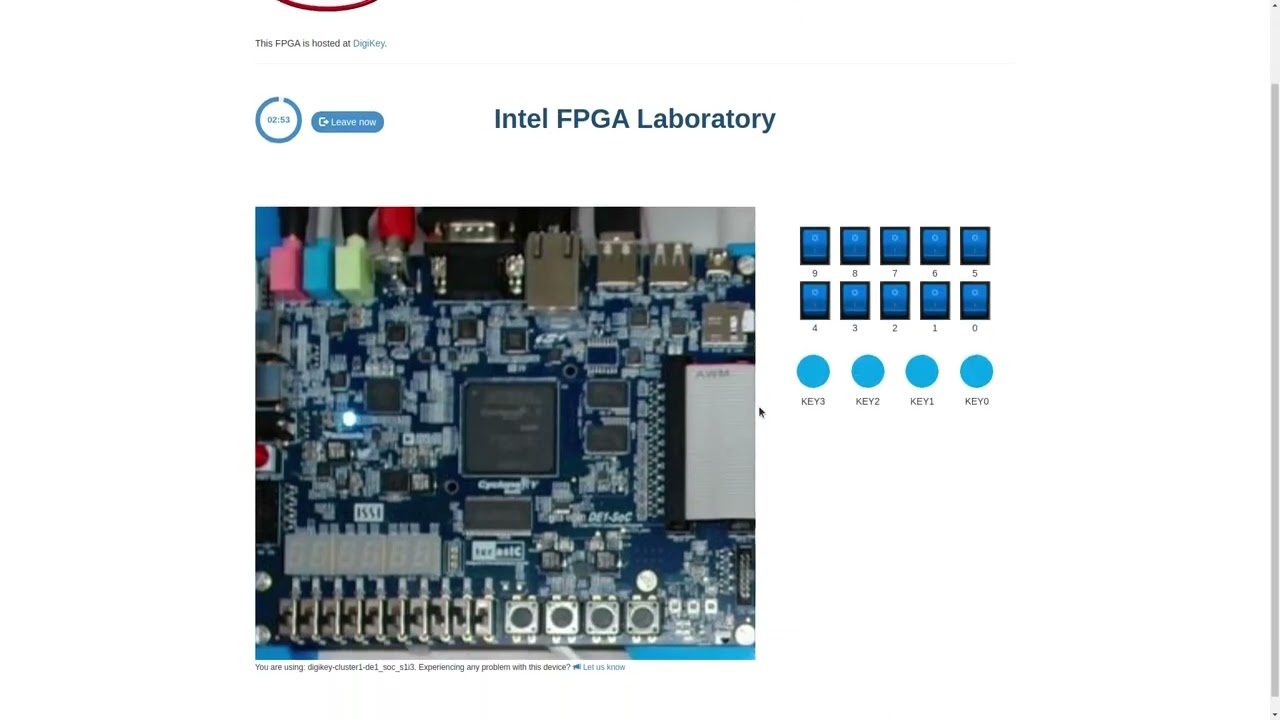
Write and compile your design in the browser, then test it on a real DE1-SoC. Observe the LEDs and seven-segment displays through the live camera and interact using the virtual switches and buttons.

To use UART, choose Standard in the interface selector and enable the UART serial terminal before entering. UART sessions use compatible boards.

What students do

Operate real equipment and reason from the measurements.

Recommended level
University & College
Typical access model
Real-time labs, Codeide
Works on
Modern web browsers on school, university, and home computers.
Teaching use
Suitable for assignments, demonstrations, LMS-linked activities, and remote practical work.

Ready lesson plans

Teach lessons using this laboratory

Preview classroom-ready activities that guide students through the real laboratory.

Browse all Teach lessons

Video

Watch video

Available experiments

Use the real laboratory from the browser.

DE1-SoC · Verilog

Write Verilog code in your browser and run it on a real DE1-SoC.

DE1-SoC · VHDL

Write VHDL code in your browser and run it on a real DE1-SoC.

DE1-SoC · SystemVerilog

Write SystemVerilog code in your browser and run it on a real DE1-SoC.

Teaching resources

Public laboratory contents

Adapting external codes

How to adapt external VHDL or Verilog codes or external practices to the LabsLand FPGA laboratory

Open resource

Introduction to LabsLand FPGA. Simple combinational ALU.

Introduction to the LabsLand FPGA laboratory. Activity that involves the design of a combinational ALU that makes simple arithmetical operations.

Read more

Through this activity the following goals will be met:

  • Learn how to use the LabsLand FPGA lab.
  • Learn how to design entities that are reusable through components and port mapping.
  • Learn how to use elementary input-output peripherals (switches, buttons, 7-segment displays).
  • Learn basic combinational system concepts.
  • Learn how to design a simple ALU, that makes simple airthmetical operations.
  • Learn how to use "resize", type conversions and other VHDL characteristics.
Open resource

Breadboard GPIO guide

Use the breadboard to map GPIO to switches and LED's

Open resource

RHL Beadle

80+ pages of contents on how to use the FPGA laboratory, Boole Designer, Digital Trainer

Open resource

Introduction to LabsLand FPGA. Simple combinational ALU. (SOLVED).

Introduction to the LabsLand FPGA laboratory. Activity that involves the design of a combinational ALU that makes simple arithmetical operations.

Read more

(This is the solved version of this practice. The not-solved version is a different version of this practice).

Through this activity the following goals will be met:

  • Learn how to use the LabsLand FPGA lab.
  • Learn how to design entities that are reusable through components and port mapping.
  • Learn how to use elementary input-output peripherals (switches, buttons, 7-segment displays).
  • Learn basic combinational system concepts.
  • Learn how to design a simple ALU, that makes simple airthmetical operations.
  • Learn how to use "resize", type conversions and other VHDL characteristics.