Do different LED colours behave alike?
Compare three LED colours using the same resistor and two supply settings.
- Electronics · Physics · Technology
- Secondary, ages 14–16
- 45 min

LabsLand Electronics Community
Create and experiment with the working principles of analog electronics
Laboratory information
For experimentation with analog circuits. Through this tool, you will have access to your own electronics laboratory. Using its interactive interface, you can use a prototyping board to connect components and wires. You can also connect and configure a function generator and a power supply. Once the circuit is designed, you can also take measurements using the multimeter or the oscilloscope. Both the circuits and the measurements are built and taken in reality: this is not a simulation. A relay-based system connects the components as you have defined them, resulting in real signals and measurements. Useful for activities in analog electronics such as Ohm's law, Kirchoff's law, component characterization, learning about instrumentation, types of circuits, etc.
The LabsLand Electronics Lab is very powerful and is based on an interactive interface with a virtual appearance. Like in a traditional analog electronics lab, the student has access and control over a series of instruments, which are the following: prototyping board, function generator, power supply, multimeter, oscilloscope. They also have access to a component tray, which they can incorporate into their circuit.
The main element is the prototyping board. Students usually start by creating their circuit here. To create a circuit, components will be dragged from the tray (at the top of the screen) to the prototyping board, and they will be connected using wires, accessible through the top-right toolbar. The interface is very interactive, allowing you to add, move, and remove components and wires freely.
The system also allows you to load and save already designed circuits. This feature will allow you to use complex circuits as a starting point if the activity has been designed that way; or to save circuits either to keep them or to submit them at the end of an activity.
From the prototyping board, you can see several connectors on the sides, which connect the circuit precisely with the rest of the instruments. The labels on these connectors are quite descriptive, but for example, the connectors on the top left, grouped as "DC Power", where it says +5V, GND, -5V, connect the circuit to the power supply.
To observe and configure an instrument, just select it from the bottom menu. For example, by clicking on "DC Power" we access the power supply. We can act on most of its controls, and this will have a direct effect on the circuit and the measurements (assuming we have connected the circuit correctly).
Once we have designed and built the circuit correctly, and configured the instruments, to take a measurement we will press the "Perform measurement" button at the bottom right. If the circuit is correctly designed, after a short lapse of time, we will see the result of the measurement in the instruments. If we had made a mistake or if the circuit was not possible to build either for safety reasons or because it is not supported; we would see an error message.
When taking a measurement of a circuit, we will see under the interface two real-time photographs of the equipment at the moment it takes the measurement. During the lapse of time in which it is taken, the circuit is physically configured using relays. Its status can sometimes be observed through the indicator LEDs.
The key feature of LabsLand's Electronics Lab is that it's not a simulation: the circuits are genuinely constructed using relays, all the components incorporated into the circuits (resistors, diodes, capacitors...) are real, and the measurements are taken using real instruments. This makes it an extremely realistic and powerful lab, but at the same time, it involves certain inevitable limitations.
To begin with, the lab must support (physically incorporate) the specific component to be used. You can see which components are incorporated in the component tray. Furthermore, if you want to use more than one of the same type of component, the system must have an adequate number. In addition, for safety, the system is designed not to allow any type of interconnection. Short circuits or circuits that would exceed the power supported by the components, for example, cannot be constructed. Circuits that have not been endorsed for safety also cannot be built.
Because of this, to be able to design classroom activities and to use the Electronics Lab didactically in practice, we provide and recommend using the Circuit Catalog that we supply. The LabsLand Circuit Catalog lists a large set of circuits that we guarantee can be constructed and used safely, and that are usually useful in the various courses for which the Electronics Lab is used.
By designing class activities around circuits from the catalog, we will avoid the potential problem of an arbitrary circuit not being supported, either due to safety issues, component availability, or simply because it cannot be verified that it is valid to build it.
You can access the catalog through this link: Open resource and it is also listed in the contents section.
The catalog includes sections with circuits for:
We are continuously extending the catalog. If you are interested in a type of circuit that you believe could be useful, do not hesitate to contact us. Although we cannot guarantee to add it, we can analyze it and possibly incorporate it in future revisions.
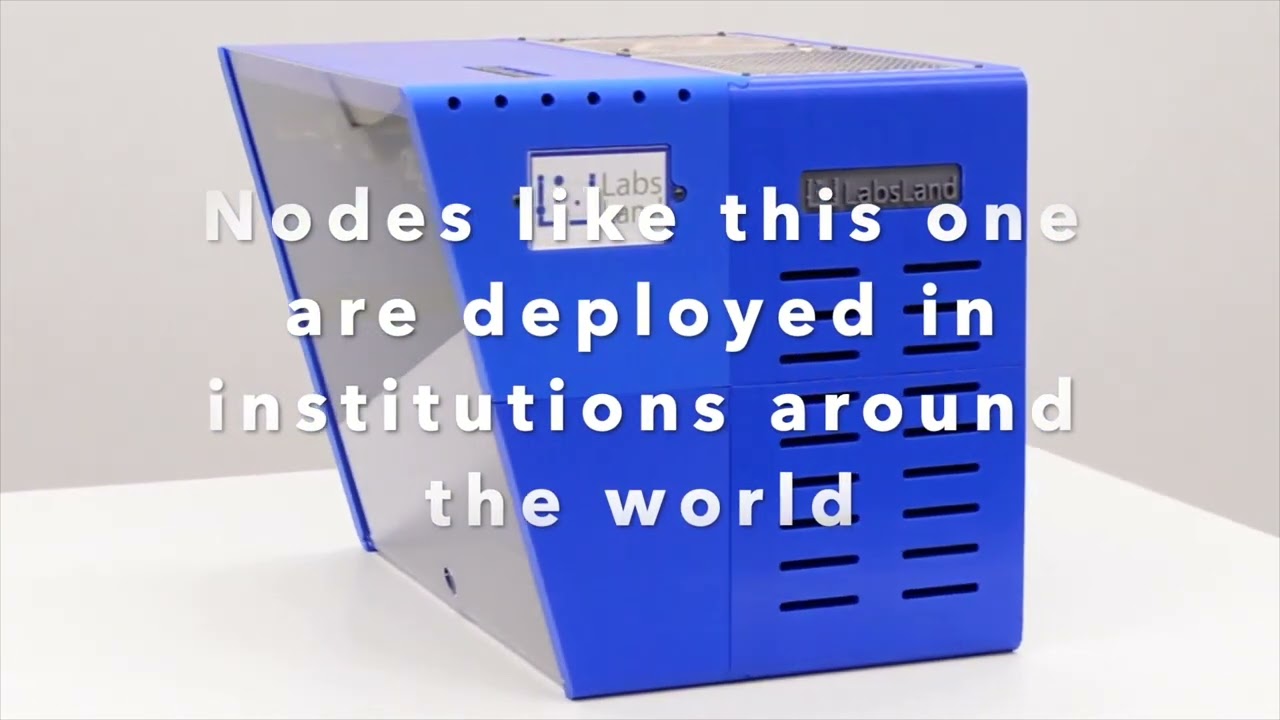
The LabsLand Electronics Laboratory is composed of several "Hives" distributed in different institutions around the planet, working as a "cluster" to provide circuits and measurements to users.
When designing a circuit, the circuit is not physically constructed, and measurements are not taken until the Take Measurement button is pressed. At that moment, one of the distributed nodes is assigned, which instantly constructs the circuit, takes the necessary measurements, and returns the result. The specific node that has taken a measurement can be observed in the interface, through the two real-time photographs. Each measurement can be directed to a different node: this is why you will occasionally see the image and provider of the last measure varies frequently if several are taken.
Internally, each node is a box that contains several instruments and several boards designed by LabsLand with relays and the components that will form the circuit. The "Hive Node Reference Documentation" document explains in detail the internal operation of the nodes, as well as the purpose of each type of internal board.
The nodes are designed so that the institution hosting them can add new circuits if they wish and customize them. This is also detailed in the manual.
The equipment for this lab (i.e., the previously mentioned nodes) has been designed by LabsLand and is available for sale to be deployed in institutions. Institutions, by purchasing and deploying the equipment in their own facilities, obtain various benefits; among them, the ability to conduct research using them, and the ability to create and customize circuits.
For information on how to purchase the hardware, you can visit our page: https://labsland.com/en/hardware
The LabsLand Electronics Laboratory is an exceptionally valuable educational resource for both secondary and university education.
The lab provides a safe and interactive platform to explore the fundamentals of analog electronics. Students can learn about basic concepts, such as Ohm's Law and Kirchoff's Law, through experimentation with real circuits, something that would typically be limited or even out of their reach. They can also gain hands-on experience with lab instruments, such as oscilloscopes and multimeters, which are essential in the field of electrical and electronic engineering.
The lab can be used to reinforce and expand concepts introduced in electronics classes and experiment with more complex components, such as operational amplifiers and transistors, and design their own circuits for analysis and simulations.
What students do
Ready lesson plans
Preview classroom-ready activities that guide students through the real laboratory.
Compare three LED colours using the same resistor and two supply settings.
Students learn how breadboard holes form electrical nodes, trace a complete path, and confirm their interpretation with a real Hive resistance measurement.
Students learn voltage, polarity, ground/reference, current limiting, and safe power-up habits by measuring two real Hive DC-supply settings.
Video
Available experiments
Learn Analog Electronics
Teaching resources
User manual of the Electronics Laboratory
Open resourceOfficial web of the LabsLand Electronics Laboratory - Hive
Open resourceAvailable circuits at the LabsLand Electronics Laboratory
Open resourceTechnical documentation: deployment and management of a Hive node (only for universities that purchase and host a Hive)
Open resource